
TL;DR: The project GitHub link is here, installation instructions are here and the extension zip file is here.
Update: Published to the Chrome Store! Go get it from there unless you want to play around with the source code below.
Update: I renamed this to Prompt Droid because someone else grabbed the name first. Update information is here.
I love a good Stupid Weekend Project: some dumb hardware or software idea that you wake up thinking about and feel compelled to crank on to see where it goes.
Sometimes my awful ideas barely get out of the conceptual phase: I spent a couple of weeks obsessed with the idea of a centralized API-backed database for tracking running shoe mileage. I went so far as to present the idea at a TechCrunch meetup pitch (to my ongoing, likely-eternal humiliation), and someone in the audience tweeted “Walter White up here talking about running shoes.”
Other Stupid Weekend Projects I’ve worked on them for months and continued using them for years, like my Windows podcasting app despite its layers of icky jank.
The one commonality in all Stupid Weekend Projects is that they’re generally homely efforts, like a painting done with one’s non-dominant hand.
I haven’t had one of my dumb ideas in a while, but I woke up on Friday with the idea for a Chrome/Edge extension that lets you save reusable snippets for prompt creation as well as full prompts that they might want to reuse. I liked the name “Prompt Drawer,” so I rolled out of bed and quickly sketched out what I wanted. It looked like this:
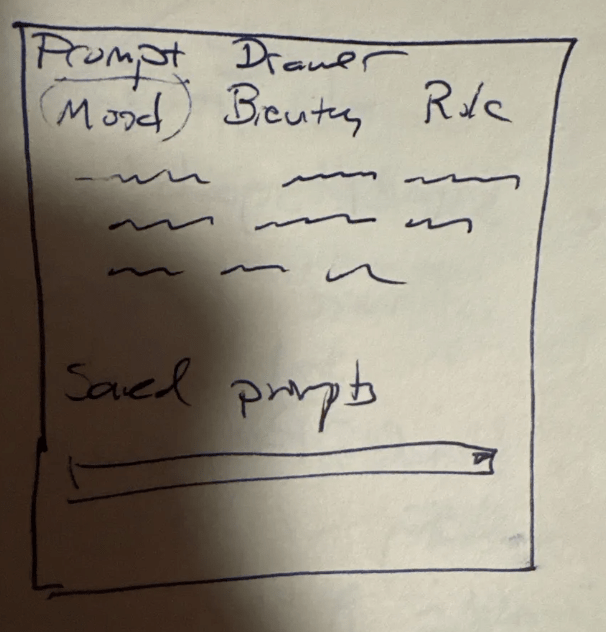
I wrote four paragraphs describing the extension, asking Claude to help me sketch out the software framework and went for my morning run. When I came back, Claude had half-generated the code and then errored out (which is a thing we don’t talk about much though it seems to happen a lot with consumer AI tools), but I was able to nudge it back into working well enough to get a skeletal prototype. It was definitely nice to have the AI help me get started rather than having to start from a completely blank extension framework.
The functional-enough project is in GitHub if you want to try it out. You have to install it manually in Chrome/Edge’s developer mode, but it’s a pretty straightforward install if you install many Chrome extensions. Here’s the zip file to install if you just want that.
What it is; how it works
Once you install it and pin it to your navigation bar, pressing the icon will pop up a window with a bunch of preselected prompt snippets. Things you might use like “Show all of your steps” or “explain like I’m 5.” You can add and categorize your own in the settings, and the ones you use the most will filter to the top.
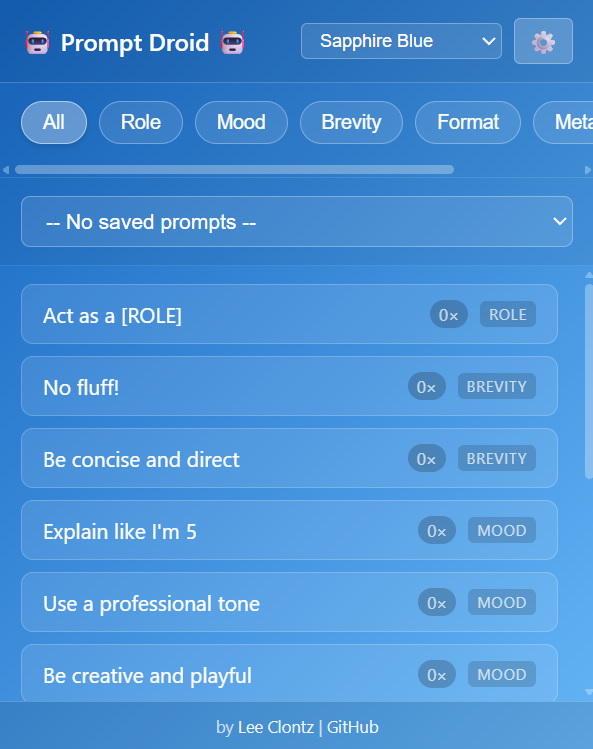
You can add snippets, or entire prompts, either in the settings menu or by right-clicking on selected text and selecting “Prompt Drawer > Save to Prompt Drawer” either as a snippet or a full prompt. That should work on any selectable text in the browser.
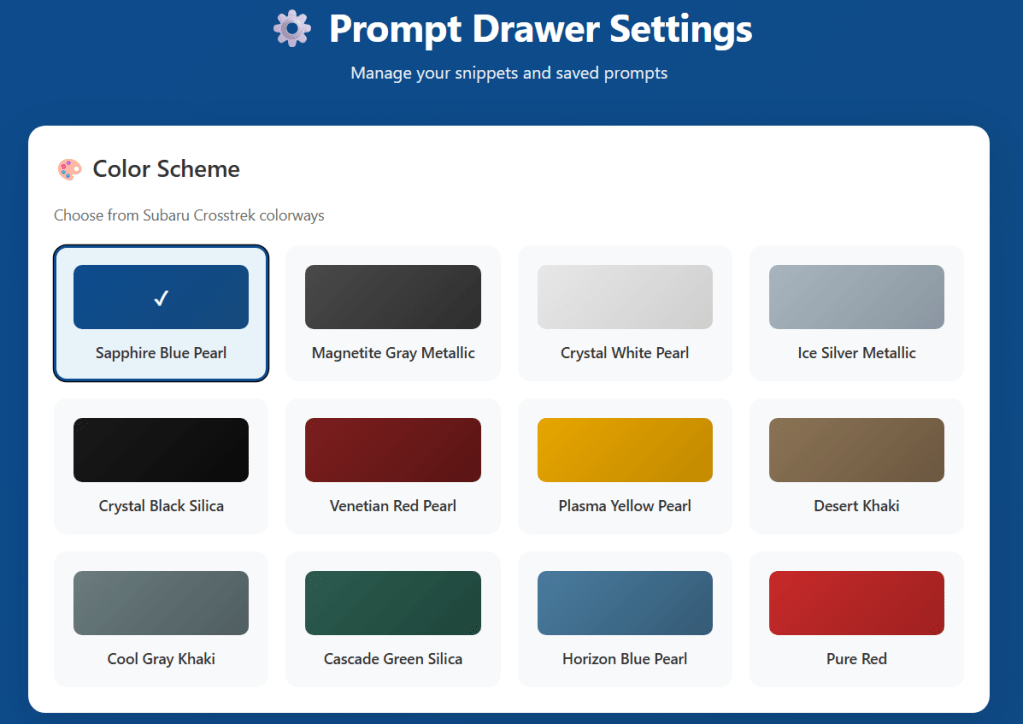
Because I love my Subaru Crosstrek, you can modify the color theme to use a bunch of existing Crosstrek colorways in the settings. The settings will also let you back up and restore your prompts if you have to uninstall and reinstall for any reason.
Some limitations and issues in the current build:
- It doesn’t work with every site. It seems to work with most of them, but doesn’t work with Copilot, for example, because it seems to block some extensions. I’m presuming that’s a security issue, but still looking into it. A couple of sites — Reddit, I notice — seems to make the format go a little haywire.
- My original idea was that it would insert the prompt into the text field, but it seems like clicking on the button to select a prompt removes focus from the text field, so it always falls back on putting the text onto the clipboard. Not the end of the world, and possibly something that can be worked around.
It’s an open project, so feel free to make any suggestions, either in the code or elsewhere. Hope it’s useful to someone! Email me at clontz@gmail.com if you have questions or make suggestions.
No warranty expressed or implied! This is just a silly, fun little toy so please don’t expect too much.





 clontzville.com
Leave a reply to Adam Lipkin Cancel reply